Time off, run entirely from Slack.
Request, approve, and check who's out - all from the message box you already have open. No dashboard to remember, no app to switch to.
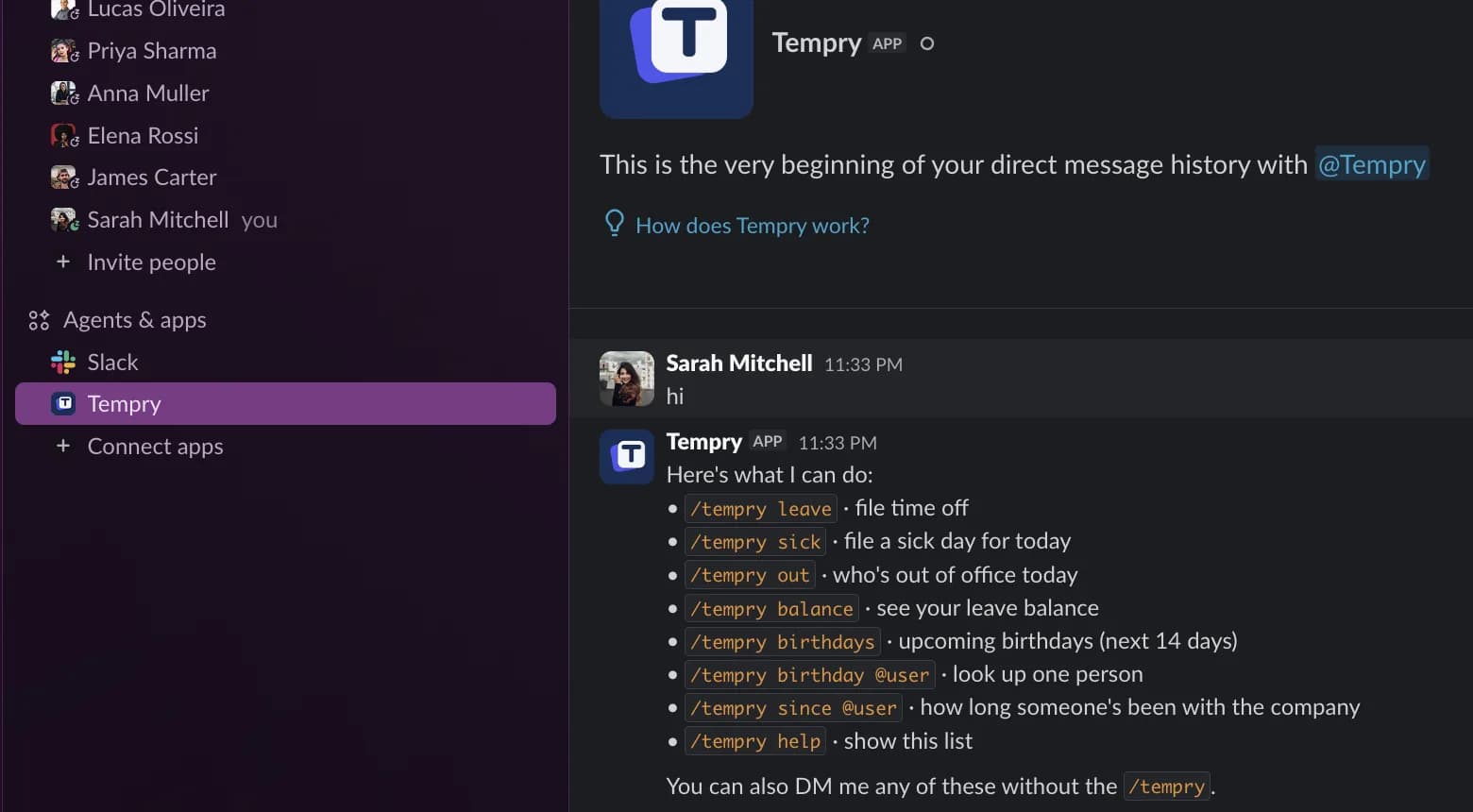
What Slack gives you
Not a notification bot bolted on. The whole workflow, in Slack.
Approve or reject from a DM.
Managers get the request as a Slack message with Approve / Reject right on it. One tap, and the requester's status and balance update immediately - no login required to decide.
Vladyslav requested vacation: Mar 3 - Mar 7 (5 days)
Balance after approval: 8 → 3 days
Your status sets itself.
On approved leave, your Slack status updates automatically - and clears the moment you're back.
🌴 On vacation
Until Mar 7 · set by Tempry
Everything via /tempry.
Balances, requests, who's out - right from the message box.
Daily and weekly digests.
Every morning: who's off, who's back. A weekly look-ahead gives managers the bigger picture.
☀️ Today: Anna is off
Priya is back tomorrow
Birthdays and anniversaries.
A small, friendly ping in the team channel you choose - the culture moments nobody has to remember.
🎂 It's Elena's birthday today!
3 years at the company next week 🎉
Getting started
Connect Slack in three steps.
Sign up for Tempry
Free to start, no credit card required.
Go to Settings → Integrations
Every admin sees this tab from day one.
Click “Connect Slack”
A one-time admin authorization. About a minute, then it's live for the whole workspace.
FAQ
Before you connect Slack
Still wondering something? Email [email protected] - a real human (probably one of us) replies, usually within a day.
Ready?
Run your team's time off in ten minutes.
Free for teams up to 15, forever. Built and run by its two owners - who use it themselves.
No card to start the 30-day trial. You'll know in ten minutes if it's right for you.
- Vladyslav Tkachuk & Yuriy Rachek, founders. We use Tempry every day.